Set up in 5 minutes
From download to your first 10 ready-to-post reels. Every step, with pictures.
Install the app
Run the setup file you downloaded. It installs just for you — no admin rights, no restart, about a minute.
Paste your license key
Your key arrived by email right after payment (subject line with your license inside; check Spam / Promotions if you don't see it). Copy the whole key, paste it in, done — the app works offline forever after this one step.
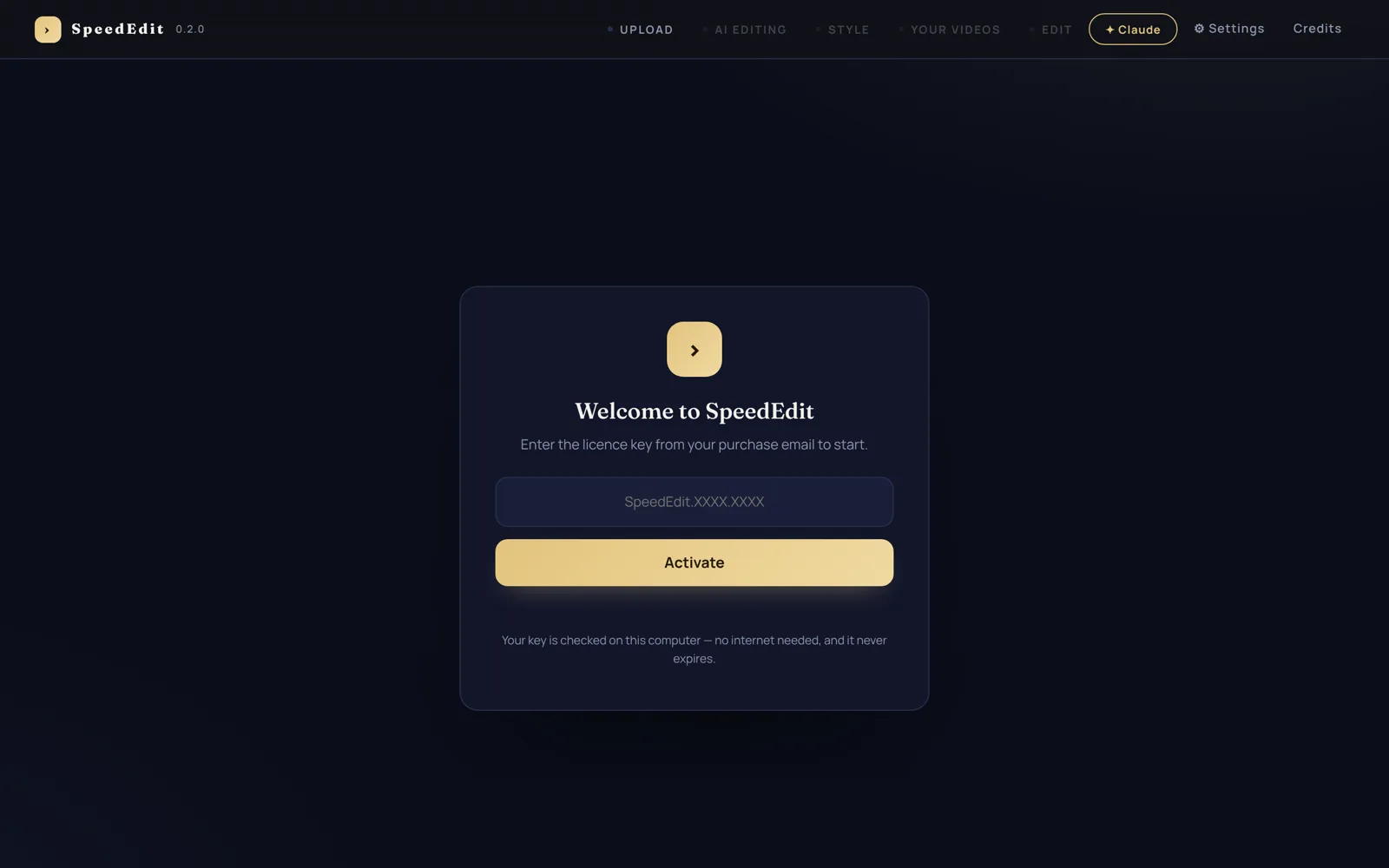
One key, one time. Reinstalls and updates never ask again.
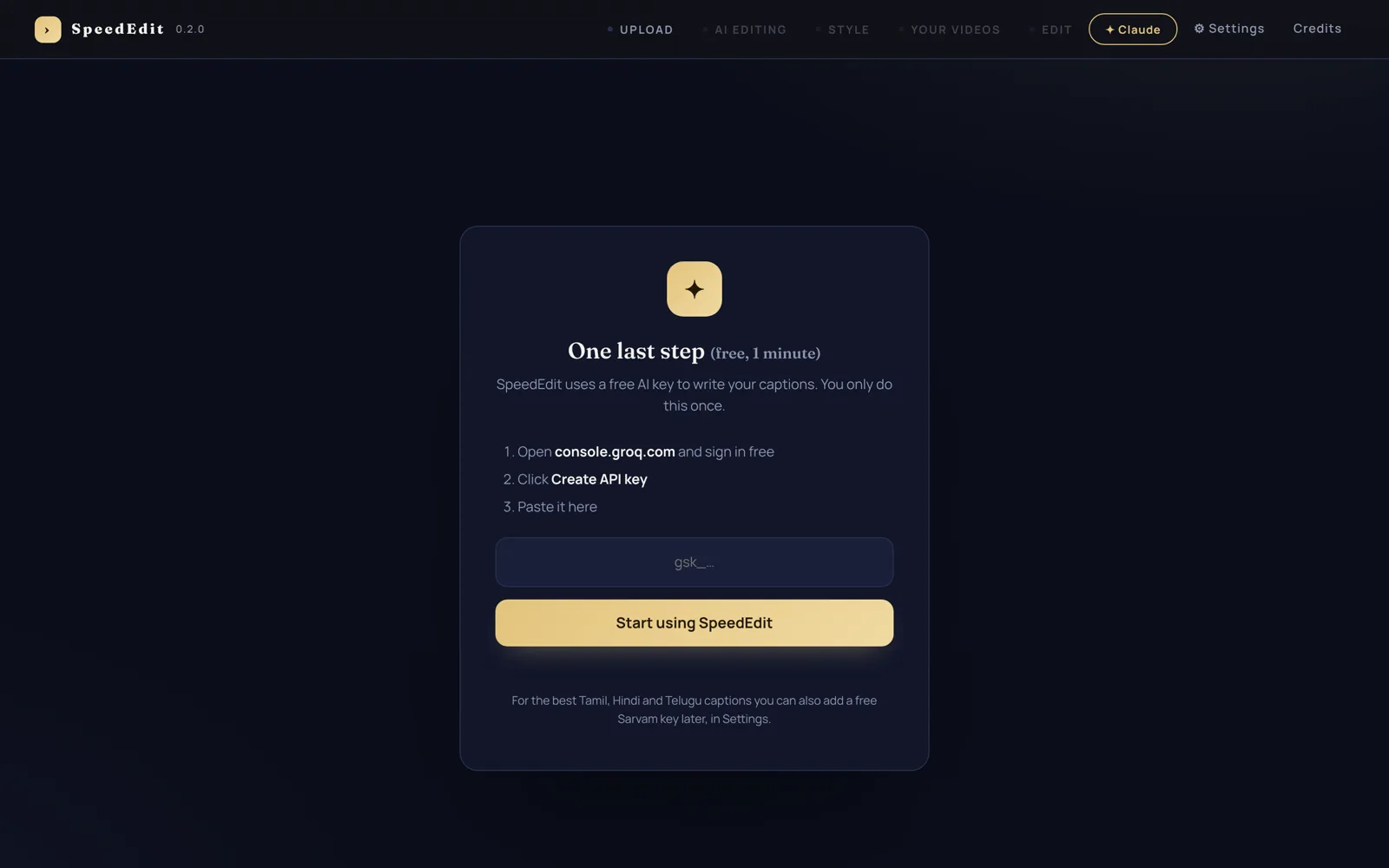
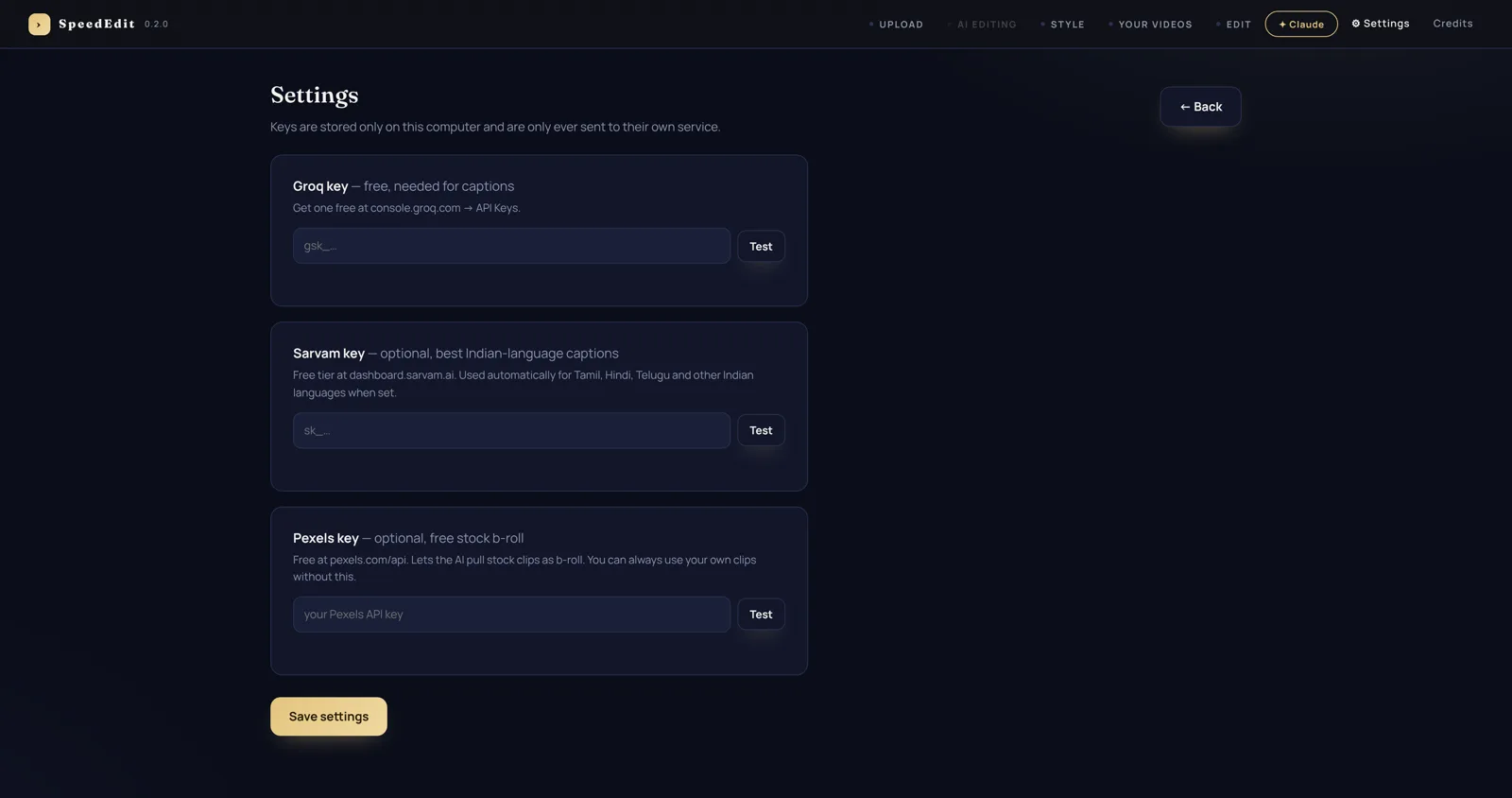
Add your free AI key
The app uses a free Groq AI key to listen to your video and write word-synced captions. One minute, one time:
- Open console.groq.com and sign in (free, no card)
- Click Create API key and copy it
- Paste it in the app
Drop in a talking video
Drag your raw footage in (MP4/MOV, any language). Optionally tell the AI what you want — "tight cuts, strong hook, calm zooms" — and pick the language if it's not English.
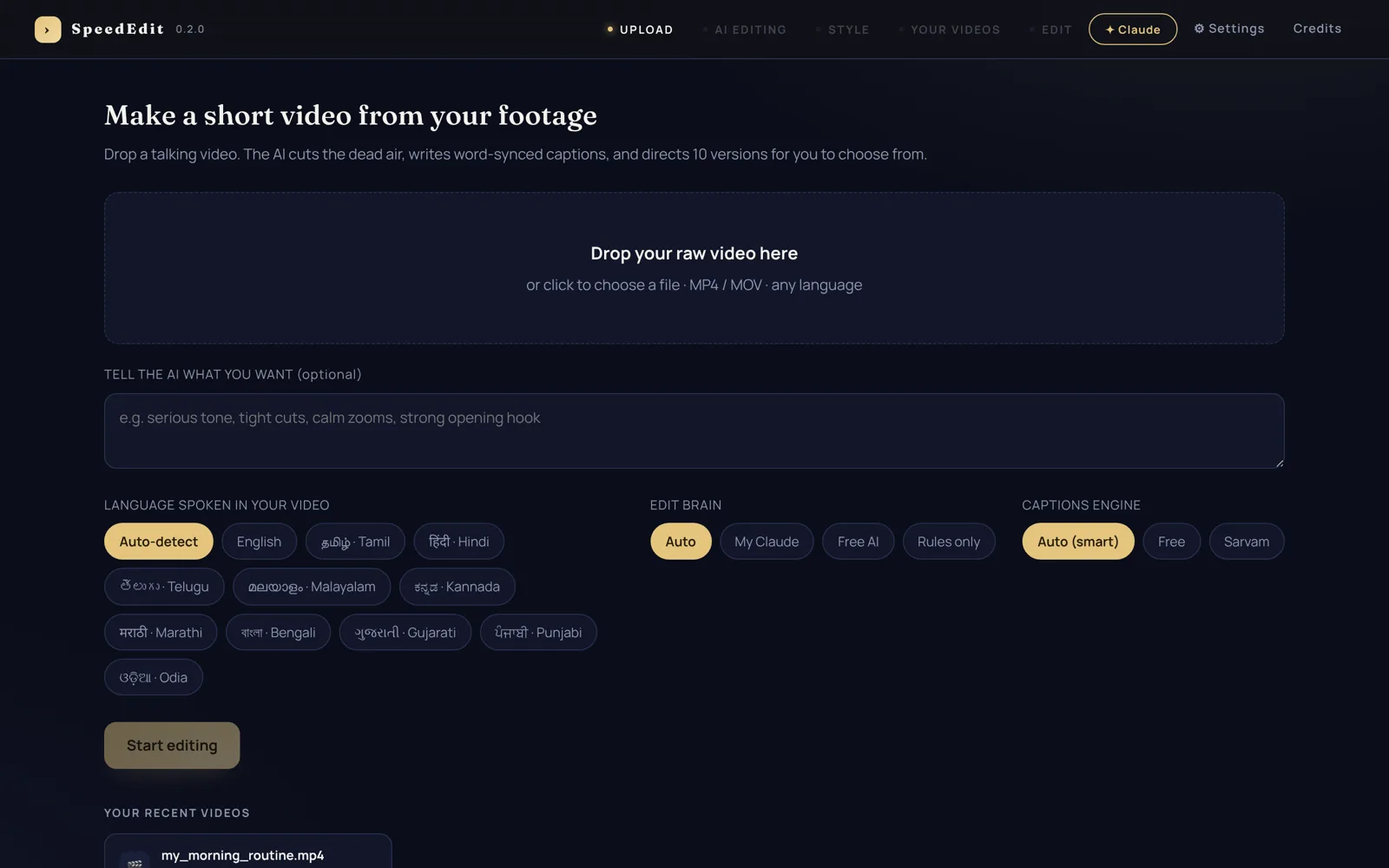
Your past videos appear at the bottom — reopen any of them anytime.
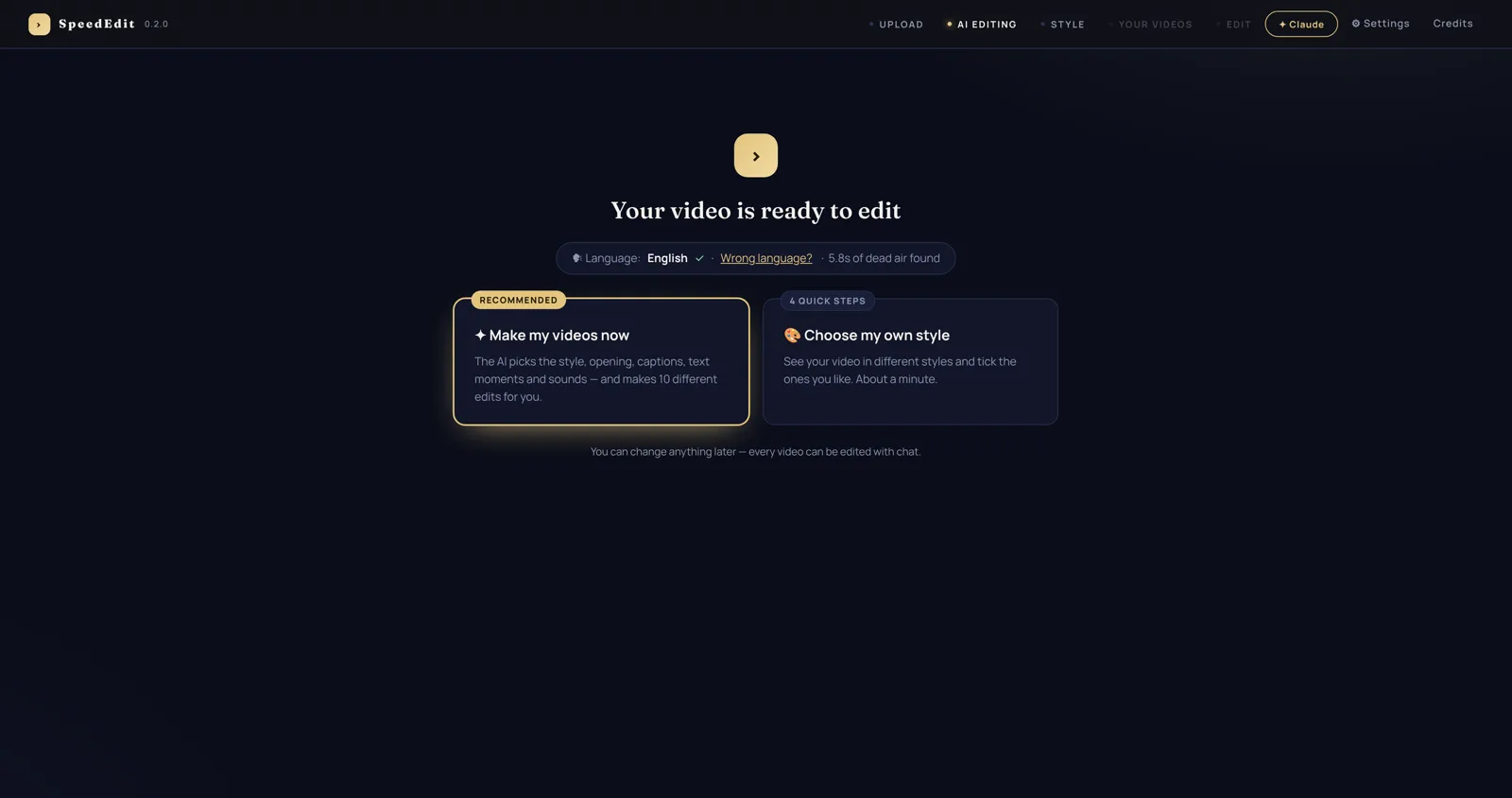
Pick your path
After the AI listens to your video (a minute or two), you choose:
- Make my videos now — the AI picks styles, openings, captions and sounds, and renders 10 different edits.
- Choose my own style — a 4-step wizard where you tick what you like first.
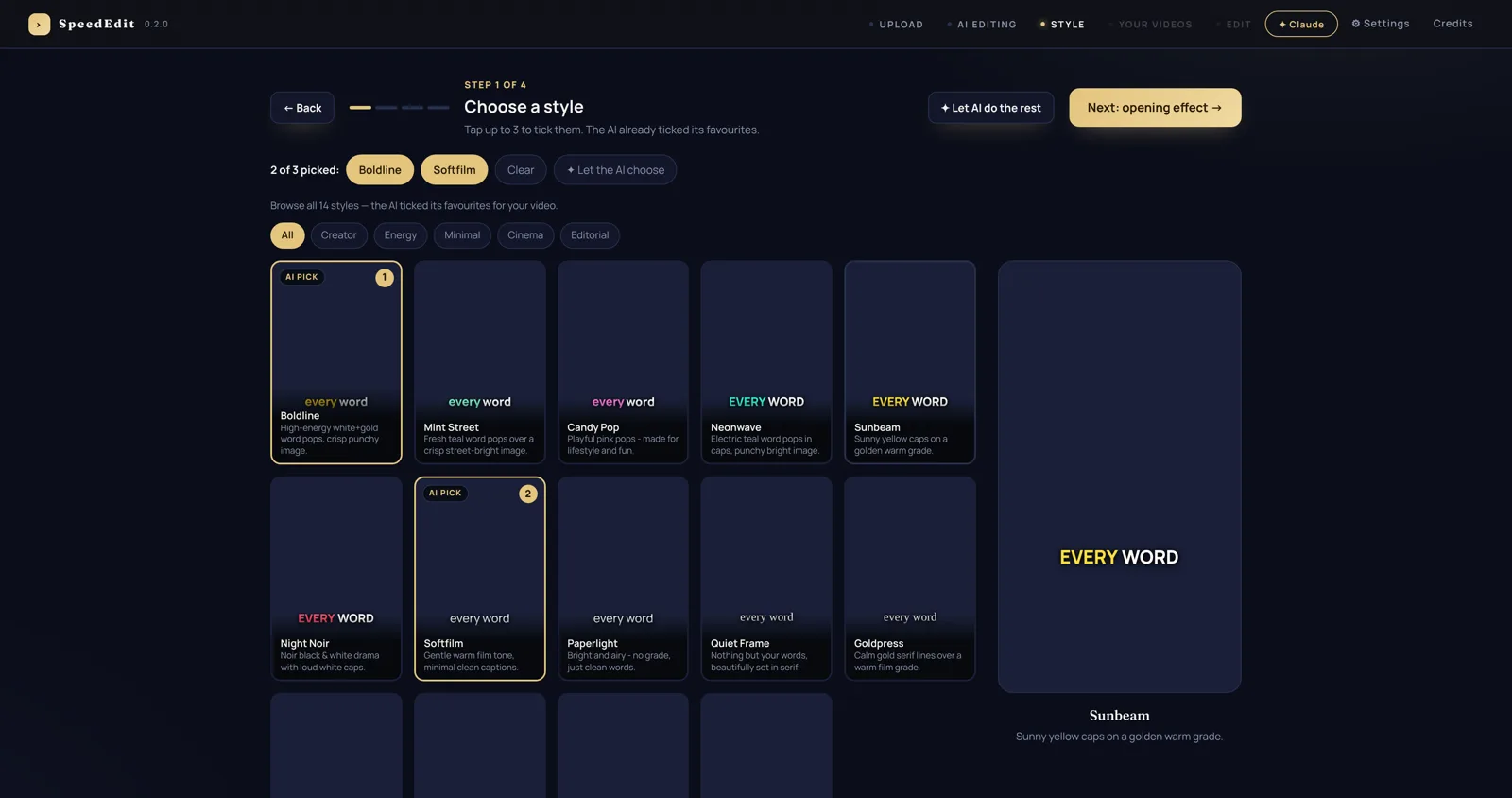
The style wizard
Four quick steps — style, opening effect, captions, graphics. Tap up to 3 styles you like; the live preview on every card shows your actual video in that look. The AI pre-ticks its favourites, and "Let AI do the rest" finishes any step for you.
Your 10 videos
The AI directs and renders all 10 versions — different cuts, captions, openings, music and text moments. Tap any card to watch it, then Download the ones you love and post.
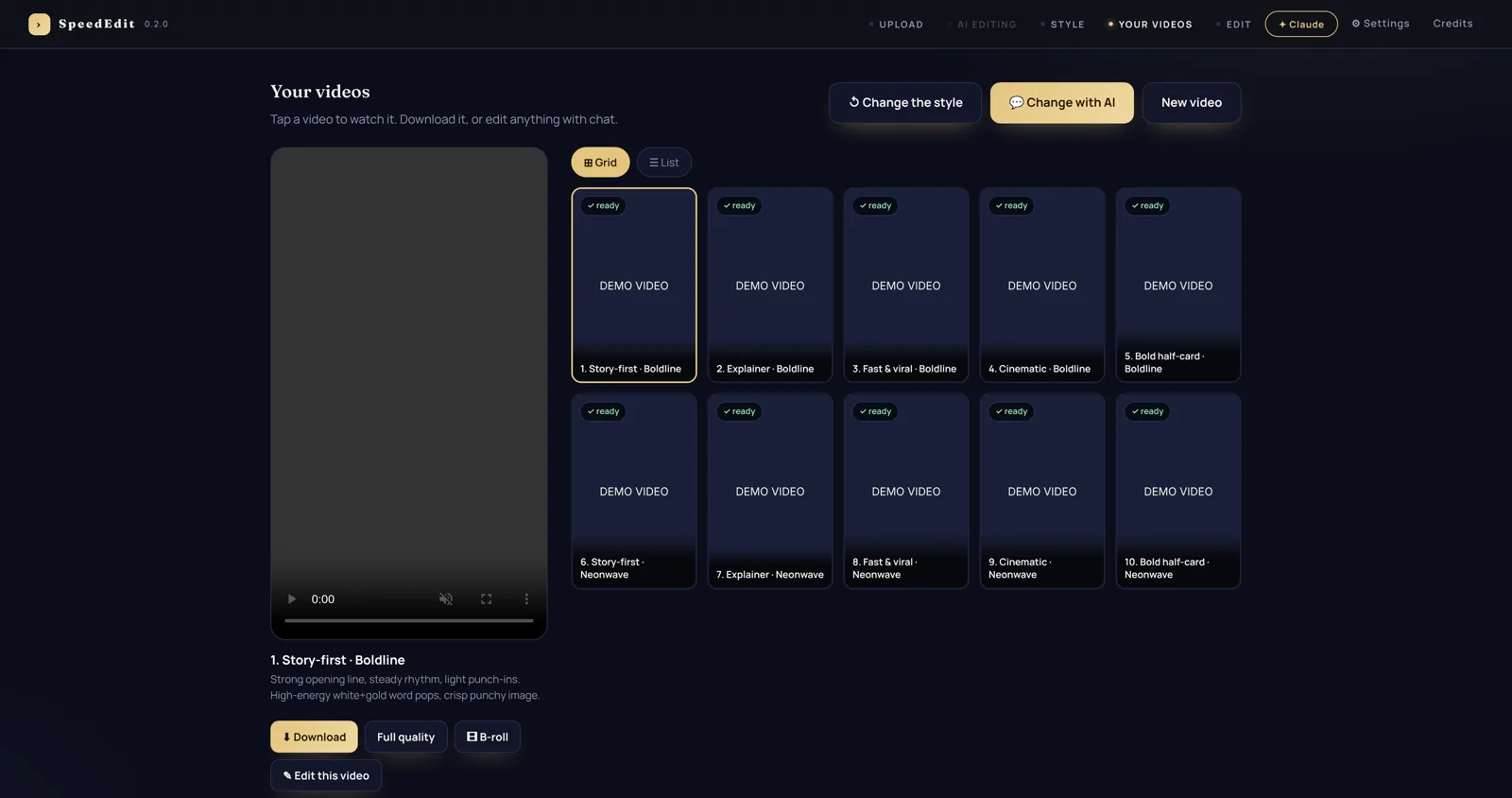
Director's notes at the top explain what the AI chose and why.
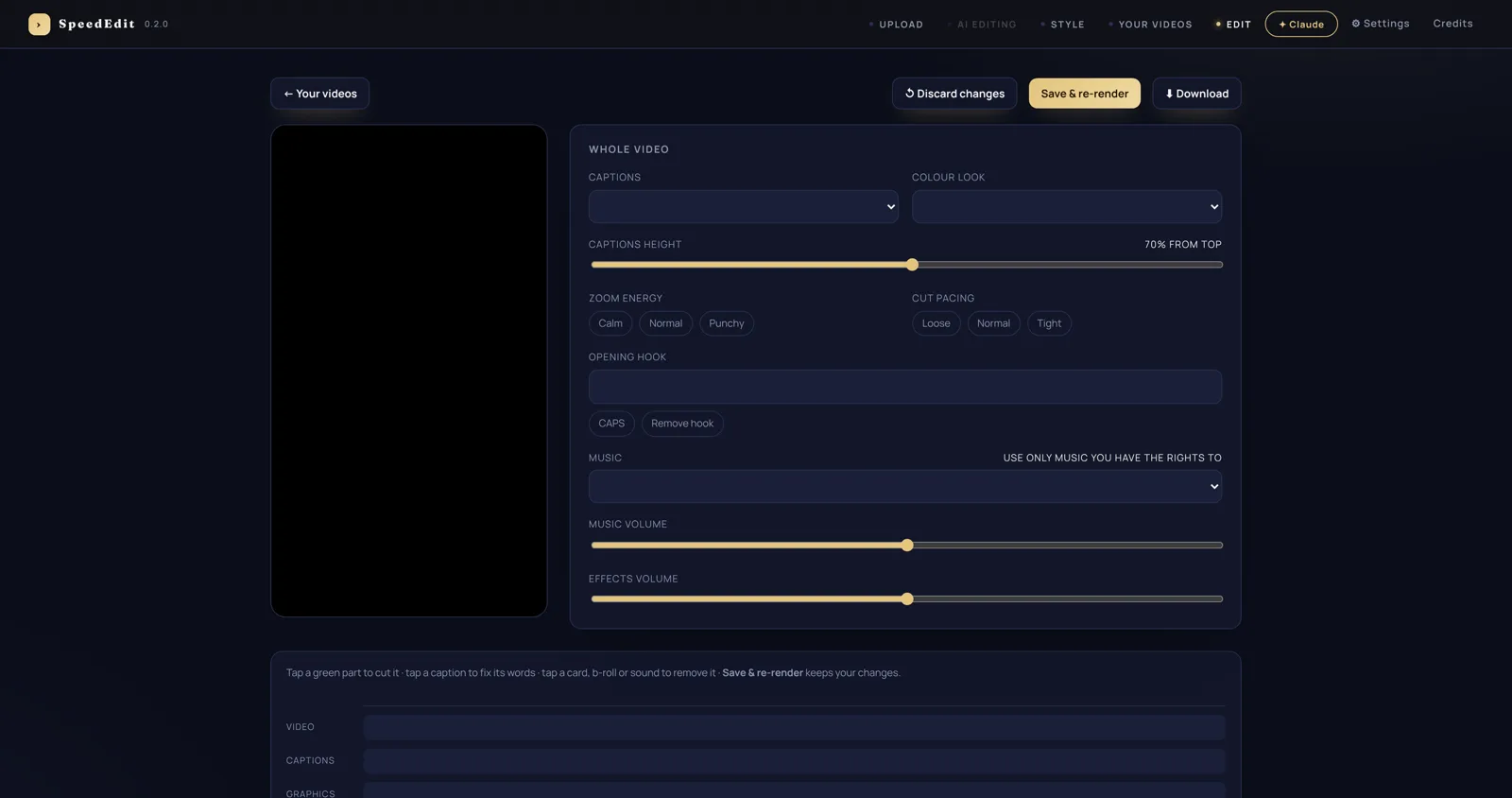
Edit anything
Not happy with a detail? Open any version in the Editor — change the words of a caption, move it up or down, swap the music, remove a section, soften the sounds — or just tell the chat what you want in plain words ("remove the last line", "make the captions bigger", "calmer music").
Settings
Keys, export folder, caption engine and more live in Settings. Everything is stored on your computer only.
Quick answers
My license key didn't arrive
Give it a couple of minutes and check Spam / Promotions. Still nothing? Email support with your payment ID — a real person will send your key.
Does it work offline?
Activation and editing run on your computer. Only the caption AI (your free Groq key) needs internet while a video is being listened to — rendering itself is fully local.
Which videos work best?
One person talking to the camera — phone footage is perfect. Vertical or horizontal, any length, any language. The AI cuts the dead air and silences for you, so don't worry about pauses and retakes.
Where are my finished videos saved?
Press Download on any version — it saves as a normal MP4 ready for Reels, Shorts or TikTok. Your projects also live in your app data folder, and uninstalling never deletes them.
I bought on one computer, can I reinstall?
Yes — your key keeps working on your computer, forever. Keep the license email safe; it's your proof of purchase.